#ALERT: Unauthorized sellers on marketplace platforms are impersonating iShopChangi. Please purchase only from our official website, iSho...
Show More
More

- Home/
- Electronics/
- Computers & Peripherals/
- Keyboards/
- Razer BlackWidow V4 Low-Profile HyperSpeed
PageMetaconfiguration


1
9
RAZER
Razer BlackWidow V4 Low-Profile HyperSpeed
Estimated CR Points:
Earn 240 Points
Item is excluded from standard promo codes. More info here.
Options
Colour: Orange Tactile Switch
Shop from 30 days – Up to 12 hours* before departure. Collect your orders at the iShopChangi Collection Centre in the Departure Transit Area. Brand paper bags are not provided.
*Order fulfilment times vary by product.
*Order fulfilment times vary by product.
S$246.79
S$274.31
RAZER
Razer BlackWidow V4 Low-Profile HyperSpeed
Estimated CR Points:
Earn 240 Points
Item is excluded from standard promo codes. More info here.
Options
Quantity
Shop from 30 days – Up to 12 hours* before departure. Collect your orders at the iShopChangi Collection Centre in the Departure Transit Area. Brand paper bags are not provided.
*Order fulfilment times vary by product.
*Order fulfilment times vary by product.
In-store Price Assurance
30 Days Refund*
Authenticity Guaranteed
Fulfilled by:
S$246.79
S$274.31
Quantity
 In-store Price Assurance
 30 Days Refund*
 Authenticity Guaranteed


 SG
SG


Learn more about the item
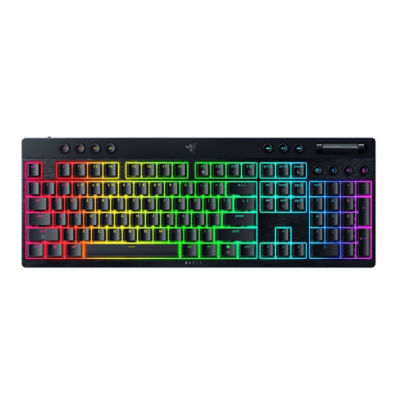
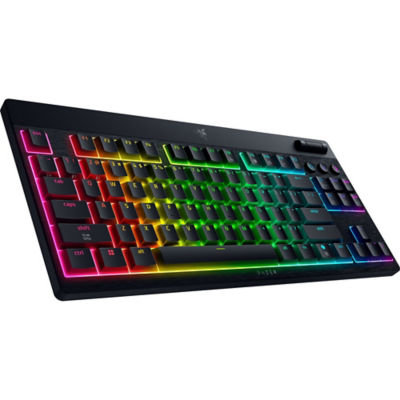
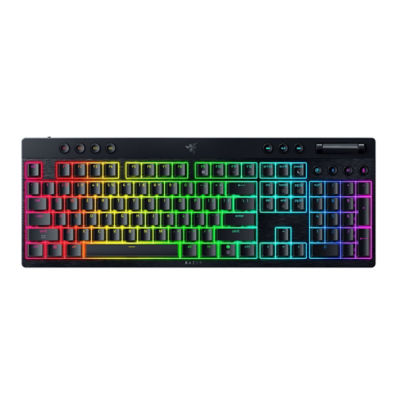
The BlackWidow V4 Low-Profile HyperSpeed is an ultra-slim, wireless gaming keyboard designed for competitive play and productivity, combining low-profile mechanical switches, dual wireless connectivity, advanced controls, and AI-powered features for a top-tier gaming experience.
Key Features
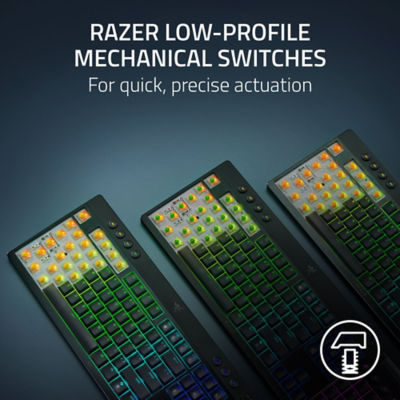
Razer™ Low-Profile Mechanical Switches
Three switch options for typing and gaming preferences:
Green Clicky – tactile, audible feedback.
Orange Tactile – quiet, tactile response.
Yellow Linear – smooth, silent keypresses.
Fast, precise actuation for competitive responsiveness.
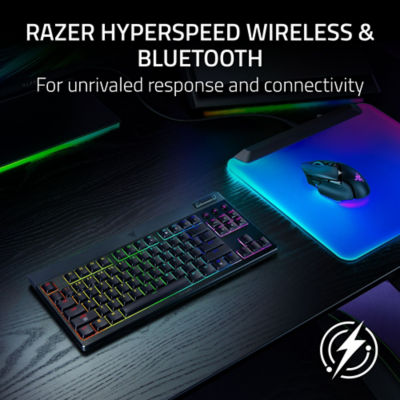
Razer™ HyperSpeed Wireless & Bluetooth
Lag-free 2.4 GHz HyperSpeed Wireless connectivity.
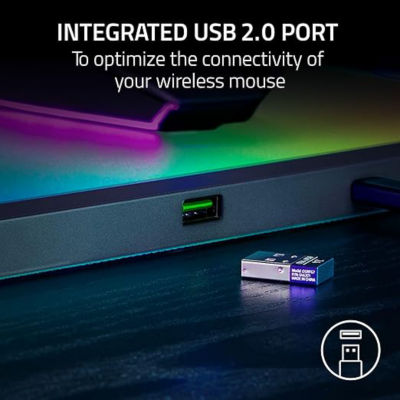
Pair with a compatible Razer mouse via the same dongle.
Switch between up to 3 Bluetooth devices seamlessly.
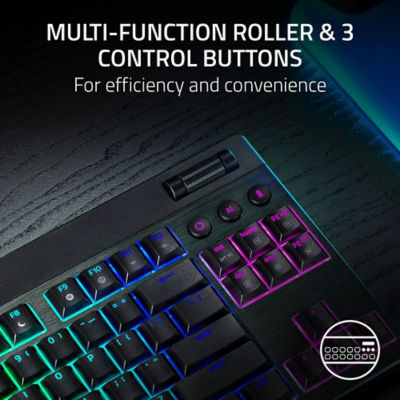
Multi-Function Roller & 11 Control Buttons
Clickable roller for volume or media adjustments.
Dedicated media, connectivity, AI Prompt Master, and 4 macro buttons for workflow and gameplay optimization.
Launch AI Prompt Master with one-touch access to summarize text, get build guides, or customize AI prompts.
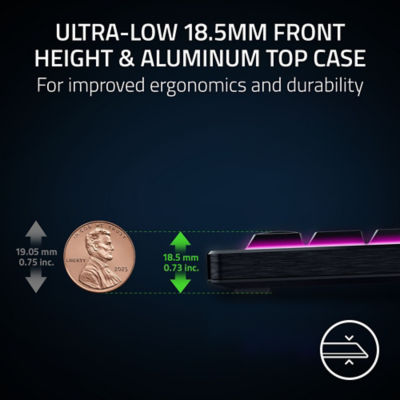
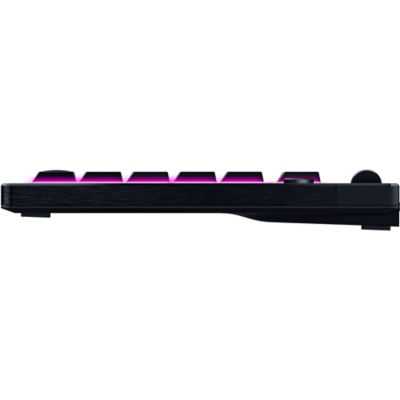
Ultra-Low 18.5 mm Front Height & Aluminum Top Case
Ergonomic design for neutral wrist positioning.
Solid 5052 aluminum alloy top case for durability and premium feel.
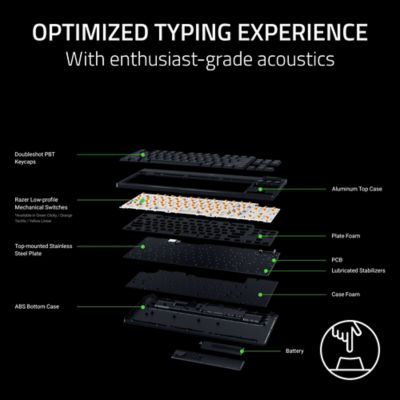
Optimized Typing Experience
Lubricated stabilizers, dual sound-dampening foam layers under a stainless steel top plate.
Doubleshot PBT keycaps for durability and enhanced RGB shine-through.
Clean, refined typing acoustics for long sessions.
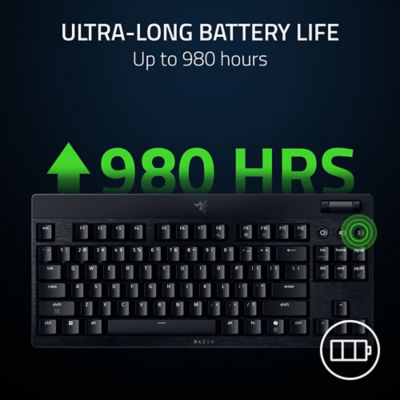
Ultra-Long Battery Life
Up to 980 hours in Power Saving Mode.
View battery via lighted number row.
Power Saving Mode reduces polling rate, turns off lighting, and pauses Synapse connectivity to conserve power.
Razer™ HyperPolling Wireless (Optional Upgrade)
Supports up to 4K polling rate with HyperPolling Wireless Dongle (sold separately).
Near-instantaneous key registration for competitive gaming.
Razer™ Snap Tap Technology
Prioritizes latest input between two selected keys for faster execution.
Supports up to 4 customizable key pairs.
Toggle via Synapse or FN + Left Shift hotkey.
Key Features
Razer™ Low-Profile Mechanical Switches
Three switch options for typing and gaming preferences:
Green Clicky – tactile, audible feedback.
Orange Tactile – quiet, tactile response.
Yellow Linear – smooth, silent keypresses.
Fast, precise actuation for competitive responsiveness.
Razer™ HyperSpeed Wireless & Bluetooth
Lag-free 2.4 GHz HyperSpeed Wireless connectivity.
Pair with a compatible Razer mouse via the same dongle.
Switch between up to 3 Bluetooth devices seamlessly.
Multi-Function Roller & 11 Control Buttons
Clickable roller for volume or media adjustments.
Dedicated media, connectivity, AI Prompt Master, and 4 macro buttons for workflow and gameplay optimization.
Launch AI Prompt Master with one-touch access to summarize text, get build guides, or customize AI prompts.
Ultra-Low 18.5 mm Front Height & Aluminum Top Case
Ergonomic design for neutral wrist positioning.
Solid 5052 aluminum alloy top case for durability and premium feel.
Optimized Typing Experience
Lubricated stabilizers, dual sound-dampening foam layers under a stainless steel top plate.
Doubleshot PBT keycaps for durability and enhanced RGB shine-through.
Clean, refined typing acoustics for long sessions.
Ultra-Long Battery Life
Up to 980 hours in Power Saving Mode.
View battery via lighted number row.
Power Saving Mode reduces polling rate, turns off lighting, and pauses Synapse connectivity to conserve power.
Razer™ HyperPolling Wireless (Optional Upgrade)
Supports up to 4K polling rate with HyperPolling Wireless Dongle (sold separately).
Near-instantaneous key registration for competitive gaming.
Razer™ Snap Tap Technology
Prioritizes latest input between two selected keys for faster execution.
Supports up to 4 customizable key pairs.
Toggle via Synapse or FN + Left Shift hotkey.
