#ALERT: Unauthorized sellers on marketplace platforms are impersonating iShopChangi. Please purchase only from our official website, iSho...
Show More
More

- Home/
- Electronics/
- Mobile & Smart Devices/
- Phones/
- Samsung Galaxy A07
PageMetaconfiguration


1
9
SAMSUNG
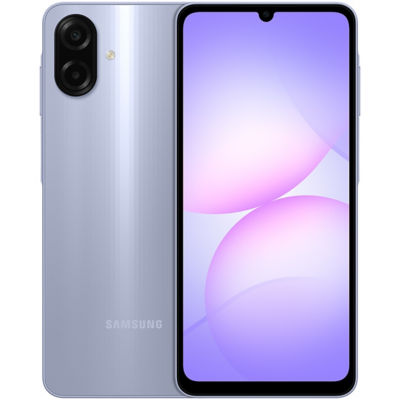
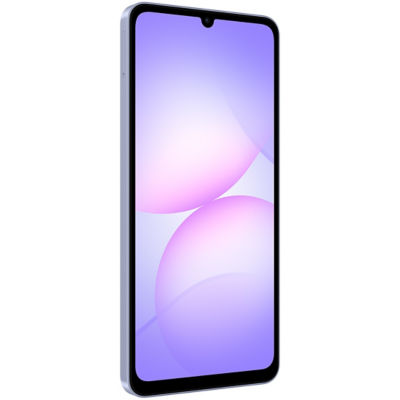
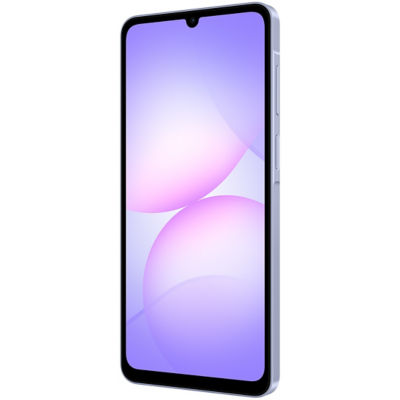
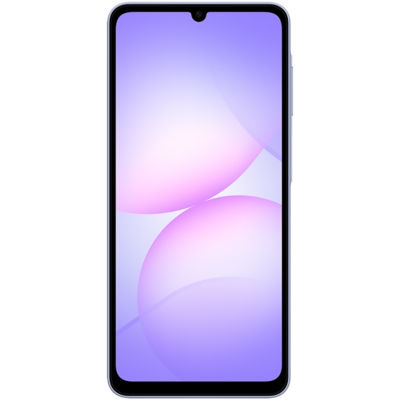
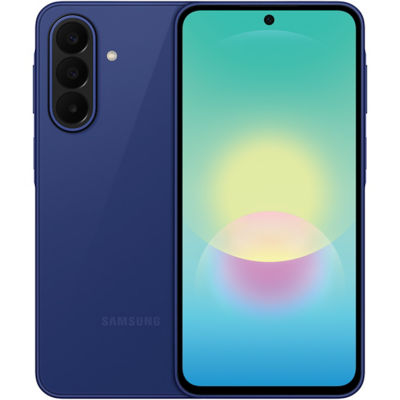
Samsung Galaxy A07
Estimated CR Points:
Earn 170 Points
Item is excluded from standard promo codes. More info here.
Options
Colour: Light Violet
128GB
Shop from 30 days – Up to 12 hours* before departure. Collect your orders at the iShopChangi Collection Centre in the Departure Transit Area. Brand paper bags are not provided.
*Order fulfilment times vary by product.
*Order fulfilment times vary by product.
S$172.48
S$236.70
SAMSUNG
Samsung Galaxy A07
Estimated CR Points:
Earn 170 Points
Item is excluded from standard promo codes. More info here.
Options
Quantity
Limited Availability
Shop from 30 days – Up to 12 hours* before departure. Collect your orders at the iShopChangi Collection Centre in the Departure Transit Area. Brand paper bags are not provided.
*Order fulfilment times vary by product.
*Order fulfilment times vary by product.
In-store Price Assurance
30 Days Refund*
Authenticity Guaranteed
Fulfilled by:
S$172.48
S$236.70
Quantity
Limited Availability
 In-store Price Assurance
 30 Days Refund*
 Authenticity Guaranteed
Fulfilled by:

Learn more about the item
Features
· Sleek, slim, and stunning
· Power to play, stream, and multitask all at once
· Stay current with 6x OS upgrades and security updates
· IP54 dust and water protection
· Immersive 6.7" display
Immersive 6.7" display
An immersive 6.7-inch edge-to-edge view combined with a smooth 90 Hz refresh rate makes streaming, swiping, and scrolling seamless. 1
Sleek and slim design
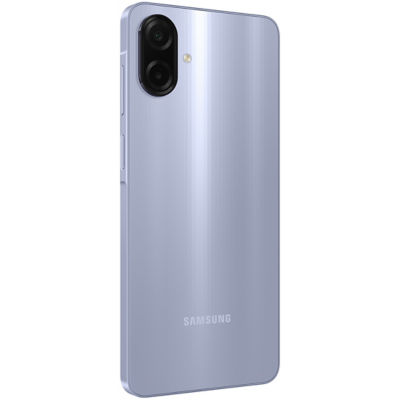
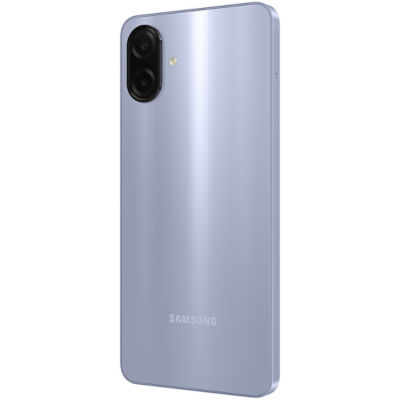
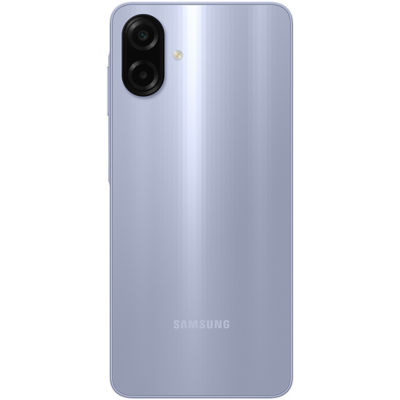
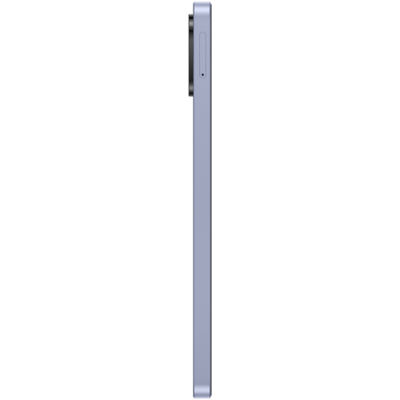
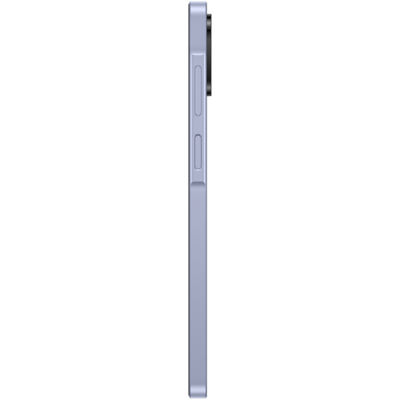
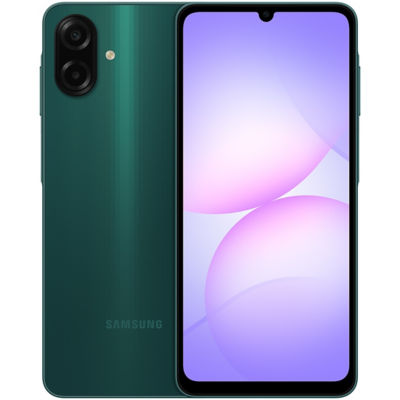
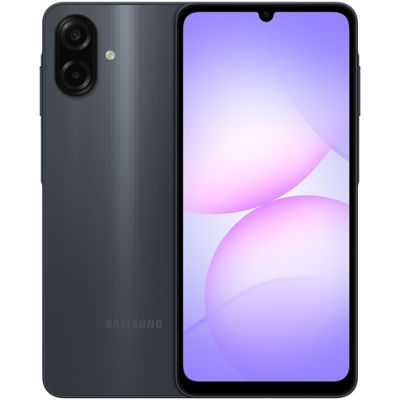
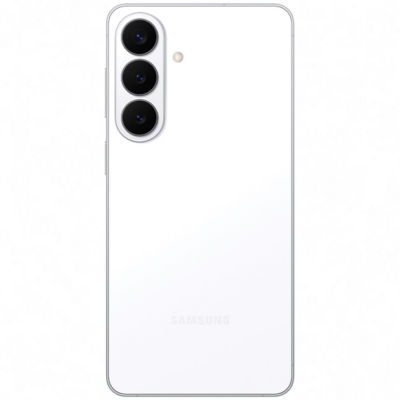
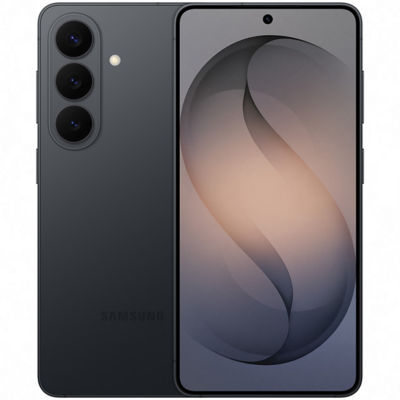
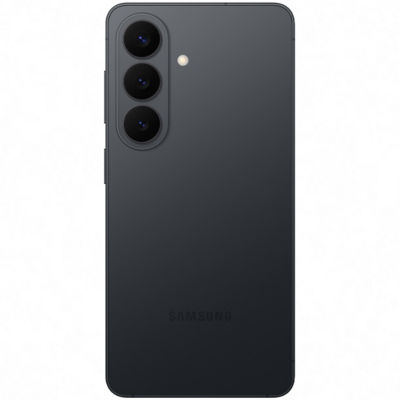
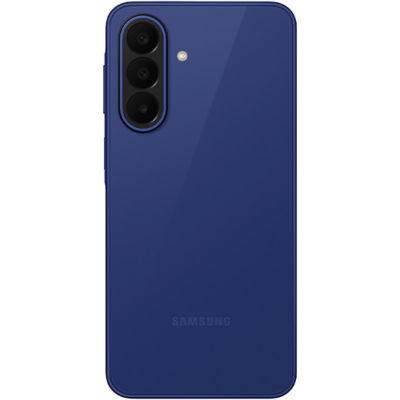
Step up your mobile experience with the Galaxy A07's 7.6 mm thin design, available in Black, Light Violet, and Green. 2
Power to play, stream, and multitask all at once
With its new 6 nm processor, the Galaxy A07 launches apps in a flash, keeps games silky-smooth, and handles streaming, gaming, and browsing all at once without missing a beat. 3
Stay current with 6x OS upgrades and security updates
Stay current and protected. Your Galaxy A07 delivers 6 major OS updates and 6 years of protection, so your phone stays fresh and secure for years to come. 4
IP54 dust and water protection
Thanks to its IP54 rating, your phone shrugs off dust and withstands splashes and 360° water spray, making it ideal for dusty environments, rainy commutes, or poolside fun. 5
50 MP Pro-Grade Camera
The Galaxy A07's 50 MP Pro-Grade camera delivers rich colour and fine detail. Its advanced image processor balances light and shadow for clear results in varied conditions. Capture standout shots with sharp focus and professional-level clarity. 6
Samsung Galaxy Experience 7
All new One UI
With a new intuitive look and upgraded usability, One UI 7 makes Galaxy A07 easy to use. 8
Share files in the moment
Use Quick Share feature to effortlessly send files between devices within or outside of Samsung Galaxy, including iOS and PCs. 9
Switch effortlessly from iOS
Switching from iOS is so easy! Thanks to Smart Switch, you can transfer your photos, videos, contacts and apps effortlessly. 10
Legal
1. * Images simulated for illustrative purposes.
* Measured diagonally, the screen size is 6.6" in the full rectangle and 6.5" accounting for the rounded corners. Actual viewable area is less due to the rounded corners and the camera cutout.
2. * Colour availability may vary by country, region or carrier.
3. * Available memory/storage capacity is subject to pre-installed software.
* Memory/storage options and availability may vary by country, region or carrier.
* Image simulated for illustrative purposes.
4. * Galaxy A07 will be supported with six generations of OS upgrades and six years of security updates from the first global launch date.
* Image simulated for illustrative purposes.
* The OS upgrade and security update policies specified above are subject to change.
* Actual product may differ from the image shown.
5. * Image simulated for illustrative purposes.
* Galaxy A07 is rated as IP54. Based on lab test conditions, the device is sprayed by 10 litres of fresh water per minute for 5 minutes at all angles. Not advised for beach or pool use. Water and dust resistance of device is not permanent and may diminish over time due to normal wear and tear.
* Actual product may differ from the image shown.
6. * Actual product may differ from the image shown.
* 50 MP resolution is available on the Galaxy A07's rear wide camera only.
* Results may vary depending on shooting conditions including multiple subjects, being out of focus or moving subjects.
7. * Actual UI may be different. Image simulated for illustrative purposes.
* For more information on Smart Switch and Quick Share, visit their feature service landing pages on the Official Samsung Website.
* Available functions may vary depending on the device, country, region, carrier or the version of One UI.
8. * Some functional widgets may require a network connection and/or Samsung Account login. Availability of functions supported within the apps may vary by country.
9. * Available on devices with One UI 2.1 or above, with Android OS version 10.0 (Q) or higher installed. Bluetooth Low Energy and Wi-Fi connection are both required for Quick Share. Supports Galaxy Books, including Qualcomm-based PCs released in 2020 and later, and Windows PCs with Intel Bluetooth/Wi-Fi from other manufacturers. (OS: Windows 10 2004 version or higher, Bluetooth driver: Intel 22.50.02 or higher, Wi-Fi driver: Intel 22.50.07 or higher). Number of devices Quick Share can share to at the same time may vary depending on the Wi-Fi chip hardware of the sharing device. Actual speed may vary depending on device, network condition and user environment. The transferable type, number, capacity and expiry date of files, as well as the number of simultaneous file shares in Private Share may be limited.
10. * Wired transfers from iOS require the receiving device to have Android™ 4.3 or later and the sending device to have iOS 5 or later. Transfers can be completed without a cable through a wireless connection or iCloud. For wireless connections, the receiving device must have Android™ 4.0 or later and the sending device must have iOS 12 or later. iCloud transfers require the receiving device to have Android™ 4.0 or later and the sending device to have iOS 5 or later. Open Smart Switch Mobile in "Settings" on the receiving Galaxy device or download the Smart Switch Mobile app from the Galaxy Store. For wireless transfers, download Smart Switch for iOS from the App Store on your iPhone or iPad. Data, content and apps available for transfer may vary by transmission method. Contacts, gallery, videos, calendars and reminders can be transferred wirelessly from an iOS device.
· Sleek, slim, and stunning
· Power to play, stream, and multitask all at once
· Stay current with 6x OS upgrades and security updates
· IP54 dust and water protection
· Immersive 6.7" display
Immersive 6.7" display
An immersive 6.7-inch edge-to-edge view combined with a smooth 90 Hz refresh rate makes streaming, swiping, and scrolling seamless. 1
Sleek and slim design
Step up your mobile experience with the Galaxy A07's 7.6 mm thin design, available in Black, Light Violet, and Green. 2
Power to play, stream, and multitask all at once
With its new 6 nm processor, the Galaxy A07 launches apps in a flash, keeps games silky-smooth, and handles streaming, gaming, and browsing all at once without missing a beat. 3
Stay current with 6x OS upgrades and security updates
Stay current and protected. Your Galaxy A07 delivers 6 major OS updates and 6 years of protection, so your phone stays fresh and secure for years to come. 4
IP54 dust and water protection
Thanks to its IP54 rating, your phone shrugs off dust and withstands splashes and 360° water spray, making it ideal for dusty environments, rainy commutes, or poolside fun. 5
50 MP Pro-Grade Camera
The Galaxy A07's 50 MP Pro-Grade camera delivers rich colour and fine detail. Its advanced image processor balances light and shadow for clear results in varied conditions. Capture standout shots with sharp focus and professional-level clarity. 6
Samsung Galaxy Experience 7
All new One UI
With a new intuitive look and upgraded usability, One UI 7 makes Galaxy A07 easy to use. 8
Share files in the moment
Use Quick Share feature to effortlessly send files between devices within or outside of Samsung Galaxy, including iOS and PCs. 9
Switch effortlessly from iOS
Switching from iOS is so easy! Thanks to Smart Switch, you can transfer your photos, videos, contacts and apps effortlessly. 10
Legal
1. * Images simulated for illustrative purposes.
* Measured diagonally, the screen size is 6.6" in the full rectangle and 6.5" accounting for the rounded corners. Actual viewable area is less due to the rounded corners and the camera cutout.
2. * Colour availability may vary by country, region or carrier.
3. * Available memory/storage capacity is subject to pre-installed software.
* Memory/storage options and availability may vary by country, region or carrier.
* Image simulated for illustrative purposes.
4. * Galaxy A07 will be supported with six generations of OS upgrades and six years of security updates from the first global launch date.
* Image simulated for illustrative purposes.
* The OS upgrade and security update policies specified above are subject to change.
* Actual product may differ from the image shown.
5. * Image simulated for illustrative purposes.
* Galaxy A07 is rated as IP54. Based on lab test conditions, the device is sprayed by 10 litres of fresh water per minute for 5 minutes at all angles. Not advised for beach or pool use. Water and dust resistance of device is not permanent and may diminish over time due to normal wear and tear.
* Actual product may differ from the image shown.
6. * Actual product may differ from the image shown.
* 50 MP resolution is available on the Galaxy A07's rear wide camera only.
* Results may vary depending on shooting conditions including multiple subjects, being out of focus or moving subjects.
7. * Actual UI may be different. Image simulated for illustrative purposes.
* For more information on Smart Switch and Quick Share, visit their feature service landing pages on the Official Samsung Website.
* Available functions may vary depending on the device, country, region, carrier or the version of One UI.
8. * Some functional widgets may require a network connection and/or Samsung Account login. Availability of functions supported within the apps may vary by country.
9. * Available on devices with One UI 2.1 or above, with Android OS version 10.0 (Q) or higher installed. Bluetooth Low Energy and Wi-Fi connection are both required for Quick Share. Supports Galaxy Books, including Qualcomm-based PCs released in 2020 and later, and Windows PCs with Intel Bluetooth/Wi-Fi from other manufacturers. (OS: Windows 10 2004 version or higher, Bluetooth driver: Intel 22.50.02 or higher, Wi-Fi driver: Intel 22.50.07 or higher). Number of devices Quick Share can share to at the same time may vary depending on the Wi-Fi chip hardware of the sharing device. Actual speed may vary depending on device, network condition and user environment. The transferable type, number, capacity and expiry date of files, as well as the number of simultaneous file shares in Private Share may be limited.
10. * Wired transfers from iOS require the receiving device to have Android™ 4.3 or later and the sending device to have iOS 5 or later. Transfers can be completed without a cable through a wireless connection or iCloud. For wireless connections, the receiving device must have Android™ 4.0 or later and the sending device must have iOS 12 or later. iCloud transfers require the receiving device to have Android™ 4.0 or later and the sending device to have iOS 5 or later. Open Smart Switch Mobile in "Settings" on the receiving Galaxy device or download the Smart Switch Mobile app from the Galaxy Store. For wireless transfers, download Smart Switch for iOS from the App Store on your iPhone or iPad. Data, content and apps available for transfer may vary by transmission method. Contacts, gallery, videos, calendars and reminders can be transferred wirelessly from an iOS device.

