提醒:目前有商家未经授权冒用iShopChangi名义销售商品。iShopChangi仅通过官网iShopChangi.com及樟宜我爱购微信小程序销售,未授权任何其他渠道。请认准官方,谨防非正规渠道购买。








OBSBOT
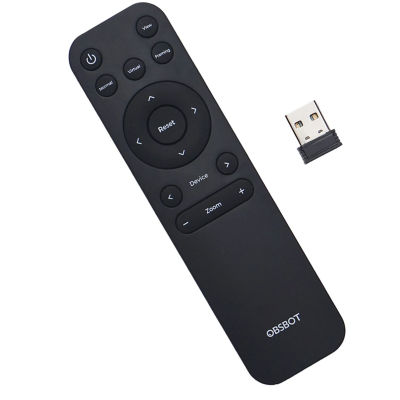
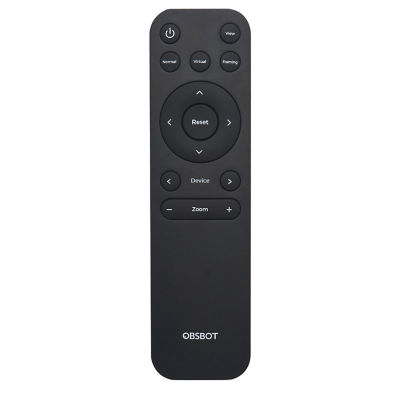
Obsbot Meet Remote Control
特别促销
价格:S$60.00
~ 约 ¥312.00
总优惠额:~ 约 ¥25.76
消费税吸收:¥25.76
预计樟宜奖励计划积分:
赚 60 积分
Colour
订单处理前,您必须上传抵达航班的登机牌副本以供验证。请注意,您的姓名和航班信息必须与登机牌上显示的完全一致。恕不提供品牌纸袋。



此商品的特别促销
消费满 $50 享 10% 折扣
凡在 Ostsome 消费满 $50 即可享受 10% 的折扣Shop Now
了解更多商品信息
Wireless connection
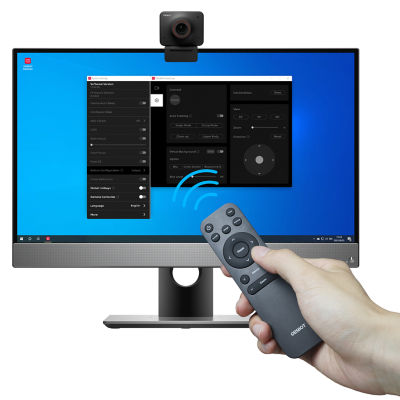
2.4GHz wireless connection via a USB receiver, plug and play, you can enjoy long-range wireless control up to 10 meters / 32.8ft.
Convenient to Use
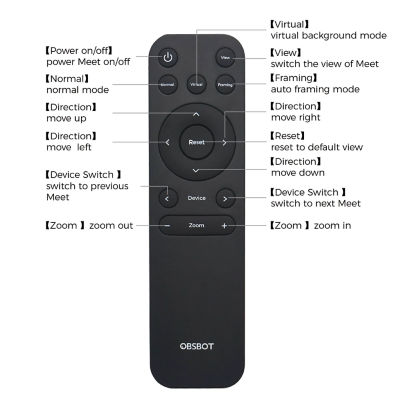
Press the key and control OBSBOT Meet Series easily, support many functions Such as zoom, PT, switch mode and so on.
Compatibility
1/ The Remote Controller is exclusively designed for the OBSBOT Meet series (Meet 4K and Meet included).
2/ Support controlling up to 4 OBSBOT Meet devices at the same time.
3/ Well compatible with Windows and macOS computers
4/ Compatible with OBSBOT MeetCam App v1.0.0.20 and above.
Before You Use
Step 1: Put two batteries into the remote control.
Step 2: Plug the USB receiver into your PC.
Step 3: Connect OBSBOT Meet or Meet 4K to your PC.
Step 4: Open MeetCam, and enable remote control in the [System Setting].
*Note:
a. The remote controller keys may conflict with some software shortcuts keys. In case of conflict, please turn off or change other software shortcuts keys.
b. Please keep the MeetCam running in the background while using the Remote Control.
1 Year local warranty
2.4GHz wireless connection via a USB receiver, plug and play, you can enjoy long-range wireless control up to 10 meters / 32.8ft.
Convenient to Use
Press the key and control OBSBOT Meet Series easily, support many functions Such as zoom, PT, switch mode and so on.
Compatibility
1/ The Remote Controller is exclusively designed for the OBSBOT Meet series (Meet 4K and Meet included).
2/ Support controlling up to 4 OBSBOT Meet devices at the same time.
3/ Well compatible with Windows and macOS computers
4/ Compatible with OBSBOT MeetCam App v1.0.0.20 and above.
Before You Use
Step 1: Put two batteries into the remote control.
Step 2: Plug the USB receiver into your PC.
Step 3: Connect OBSBOT Meet or Meet 4K to your PC.
Step 4: Open MeetCam, and enable remote control in the [System Setting].
*Note:
a. The remote controller keys may conflict with some software shortcuts keys. In case of conflict, please turn off or change other software shortcuts keys.
b. Please keep the MeetCam running in the background while using the Remote Control.
1 Year local warranty
PageMetaconfiguration

